Lightweight Travel Tech for One-Bag Travel: My Complete Kit
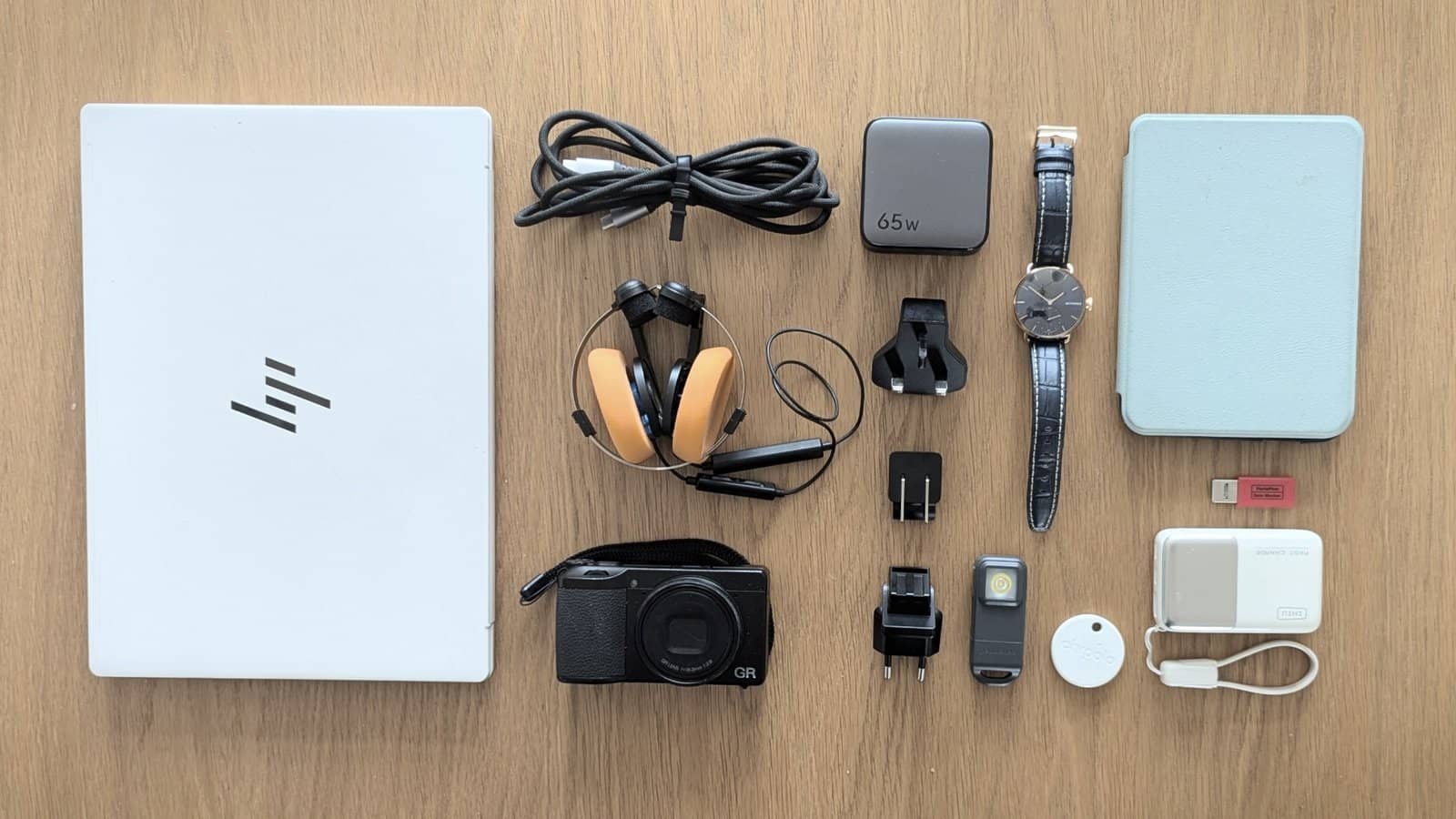
As an IT consultant and regular traveller for over 30 years, I’ve been refining my travel tech long before “digital nomad” was a thing. After plenty of trial and error, I’ve settled on a lightweight tech setup that weighs just 1.8kg, including my laptop, and it all fits in my one small bag, which is all I travel with. Every item has earned its place by being genuinely useful, good value, and light enough to justify carrying.
And why focus on tech? It’s often small and heavy, so it’s easy to squeeze another thing into the bag. Tech has a habit of breeding more tech. One extra gadget rarely travels alone. It brings mates -another charger, another cable, another accessory, and then an extension lead. Before long, you’ve added a kilogram or more without really noticing.
While standard travel tech advice defaults to the Apple ecosystem, an Android/Windows setup offers significant advantages in weight and flexibility if you select your gear intentionally. My entire remote office kit weighs just 1.8kg, including the laptop and power bank. Here is why every item earned its place in my bag.
This guide may include a few affiliate links. If you choose to buy something through one of them, I may earn a small commission (at no cost to you). Thank you for supporting One Small Bag.
Lightweight Travel Tech – My Packing List
✅Keep it Simple • ➖Less is More • 🎒Baggage Freedom
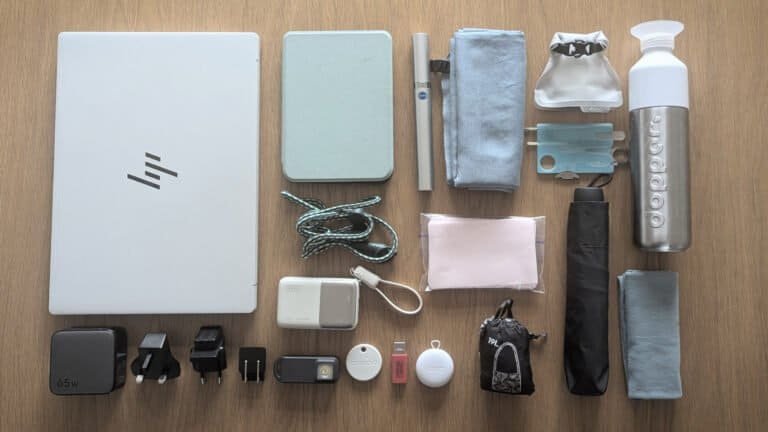
Here are all the items I pack in my one small bag, in order of importance. Three of these items, phone, watch, and camera, travel on me rather than in the bag itself. I’ve kept them on the list since they’re still part of my kit, but they’re not included in the bag weight total below.
Item | Weight (g) | Description |
|---|---|---|
210g* | Google Pixel Pro. Mine’s not the latest; I’m waiting for something more exciting from the smartphone world before I upgrade. Great camera, designed by Google to work with the Android/Google system. Hard to go wrong with a Google Pixel. | |
990g | HP Aero Omnibook 13.3″ – one of HP’s more surprising offerings. Forget your preconceptions and look at the specs. | |
217g | Powers my laptop and everything else (with a 100W fast-charge cable). All proprietary power plugs and cables are left at home. 3 swappable ends cover me for over 150 countries without bringing a bulky international plug adapter from UGreen. I’ve tried similar ones from other brands; this one is the best. | |
4 100W Fast Charge PD USB-C to USB-C Cable plus USB-C to USB-A adapter | 66g | Lightweight, high-quality, fast-charging cable. Pick one at least 1.8m long and save yourself the misery of sitting on the floor by the socket. Anker is always a solid pick. A USB-C-to-USB-A adapter is a neat add-on that lets you use public and hotel USB-A ports. Portapow to stop any data transfer; BaseSailor to permit it. I usually bring both. |
163g | Ultralight, fast-charging power bank with a digital display and a cable included, so it’s harder to lose or forget. From INIU. Cute, comes in lots of colours, not just black. I’d rather use a cable and charge fast with a lighter charger than sit and wait for the magnets to work with a MagSafe one. Powerful enough to charge my laptop. | |
70g | A great-sounding pair of retro folding headphones from Koss, the people who just make headphones. The weight difference between these and a set of AirPods in their case can be as little as 10g. Give your ear canals a rest. Wired, wireless, with or without a microphone – your choice. Mine are customised with Yaxi oversized earpads, which come in a range of colours, IYKYK | |
45g* | Scan Watch 2 – from Withings, a company that specialises in medical-grade health equipment. Stylish, traditional analogue watch with a 35-day battery life, but still doing the things a smart watch should do. Perfect for travel. | |
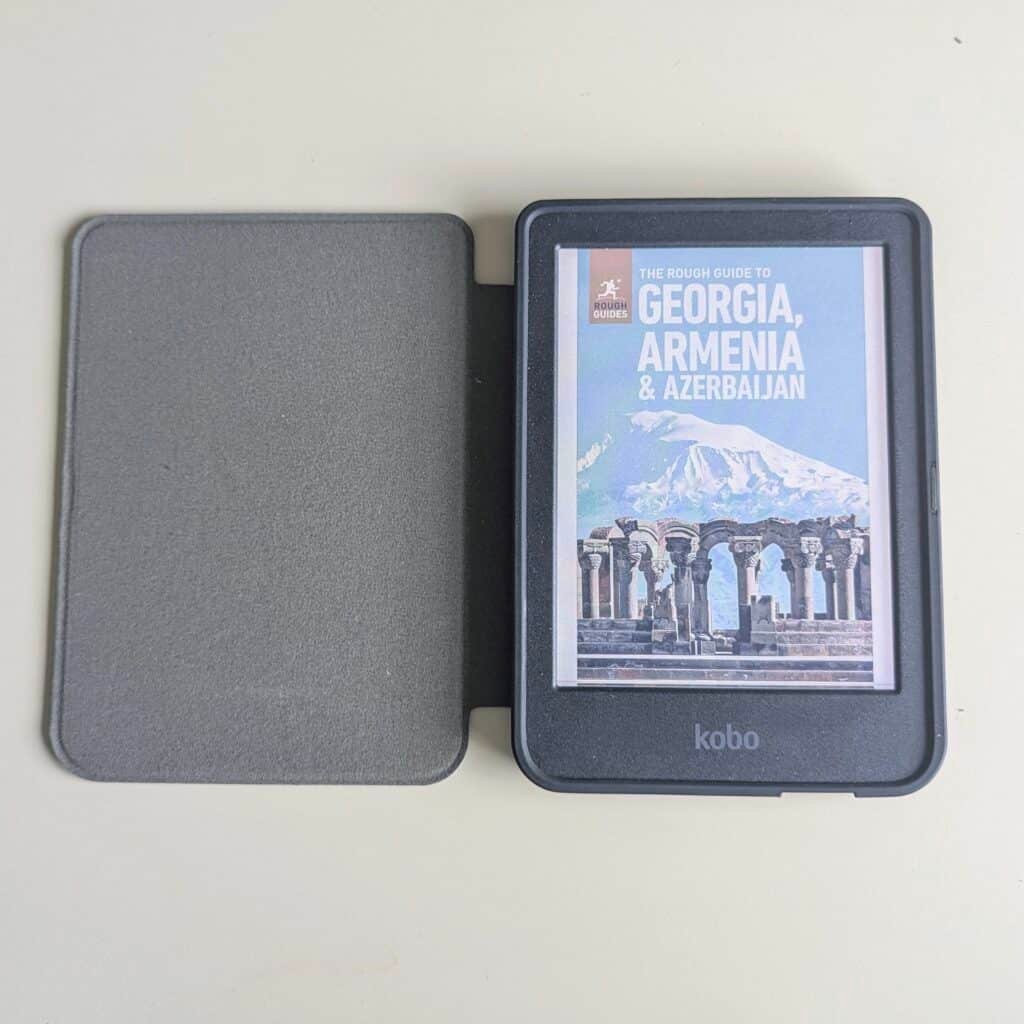
284g | Kobo Clara Colour E-Reader with OverDrive library integration (free books to borrow). Give your eyes a rest from your phone’s blue light, but still keep the colour. With a Kobo, you don’t have to give your life to Amazon, and the books belong to you with no nonsense. Weight includes the case. | |
29g | Tiny Torch with flashlight, strobe, and siren personal alarm feature. Bluetooth tracking (compatible with both Android and Apple) so you could use this instead of a separate AirTag. A Pebblebee Halo from PebbleBee, which has a whole family of popular, well-reviewed trackers (click the link for a One Small Bag discount). | |
8g | Maybe you’re an Android user locked out of the AirTag world, or maybe you want something rechargeable or in a different form factor? I have plenty of suggestions in addition to the multi-talented Pebble Bee Halo above. | |
261g* | Ricoh GRIV. Latest addition to level up my blog photography – Highly pocketable, discreet 25.7-megapixel APS-C compact camera. Large-sensor image quality in a tiny form factor. A cult following – like my headphones. The Jury is out on whether this becomes a permanent fixture in my bag. Current ‘cons’ are most likely ‘me’ problems. I doubt it’s the camera. TBC | |
Total Weight of Tech in my bag | 1,827g | * Smartphone, smartwatch and pocket camera excluded as those live on me and not in my bag |
Before and After: From 4.1kg to 1.8kg: How I Cut 2.3kg From My Travel Tech
To demonstrate the reductions you can make, here’s how I’ve reduced my travel tech from around 4.1kg to 1.8 kg. That’s the weight more than halved, without sacrificing the things I value most. In fact, my current setup is better: I’ve swapped average earbuds for quality headphones and added both a Pebblebee Halo and a Chipolo tracker.
The biggest improvement isn’t just the weight. With fewer chargers, cables and duplicate devices, everything has a place, and it’s much easier to stay organised. When you’re travelling, especially for work, there’s already enough to think about. Knowing exactly where everything is makes life a little bit simpler, with fewer decisions and fewer opportunities to lose things.
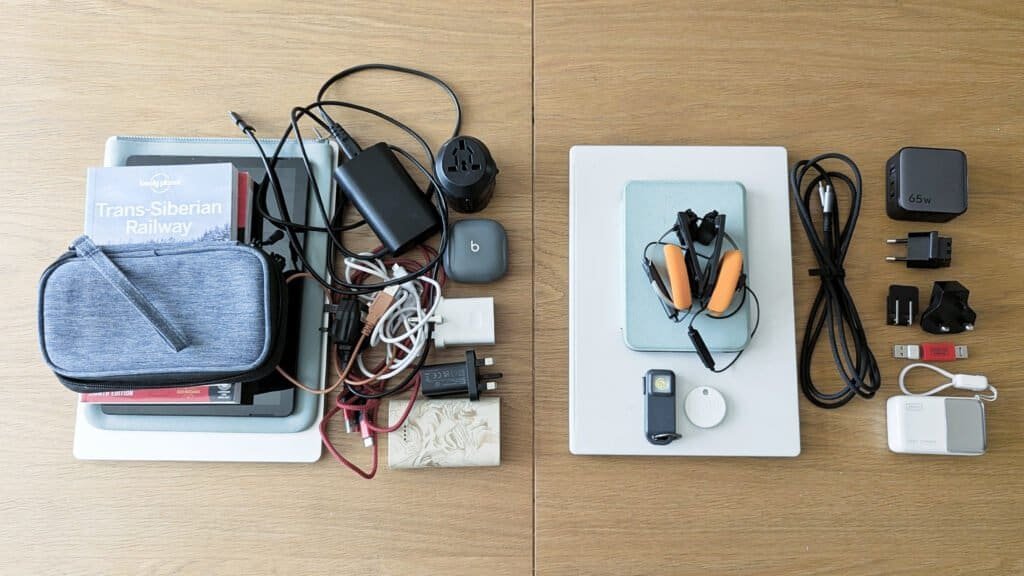
- Tablet removed (and case) – a case is necessary for an iPad, but not for a laptop stored in a backpack with a laptop section.
- Lighter laptop and power bank
- Power cable, USB-A and Fire cable removed and plugs for iPad and phone and replaced with a single 3-port GAN charger with international ends
- International Adapter removed as the plug covers over 150 countries
- Paper books were replaced by a Kobo
- Tech pouch removed as there are fewer cables to store. Anything really tiny, like the USB-A-to-USB-C connectors and tracker, lives in a zipped pocket of my wallet. The rest goes in pockets in the backpack
1. Google Pixel 7 Pro Mobile Phone
My current phone, the Pixel 7 Pro, was named the best smartphone for travel photography when I bought it, and it takes terrific photos. It also has eSIM support – my two non-negotiables for travel.
It’s not the latest. I’m waiting for a new phone to inspire me. I used to get excited about the latest phones because each leap seemed massive. Not so much now. The leap we all really want, a longer battery life, never comes.
I rate the Pixel phones; the latest is the Pixel 10 Pro. Designed by Google to work with its Android system. And they get extra points because there’s absolutely no bloatware to remove, unlike some other makes.
As for my next move, I’m looking at phones that will make laptops redundant, either through AI glasses or folding screens. While current budget phones often lack the hardware to output video, the next generation of AI-driven and multi-folding smartphones is being built from the ground up to seamlessly power external screens and glasses. That technology is already here with DeX on Samsung flagship S-Series and Z Fold phones, and with USB-C smart glasses. It won’t work for me quite yet with my eyesight, but it may do for you!
2. HP OmniBook 7 Aero 13 Ultralight Laptop
For me, a laptop is non-negotiable, so I’m always after the lightest, most compact one which does the job seamlessly. I wouldn’t go below 13 inches for a working laptop. Smaller machines save surprisingly little weight but make long writing sessions and other tasks noticeably less comfortable. For me, 13 inches is the sweet spot. And while an iPad is technically lighter, it doesn’t do “all the things”, and by the time a case and a keyboard are added, it’s not necessarily that much lighter either.
So if you’re torn between travelling with a laptop, an iPad, or just your phone, trust your instincts. Only you know what you will use each for. If you have no work commitments, a laptop may be overkill. But if you do opt to bring one, choose wisely, because the weight differences between models can be massive.
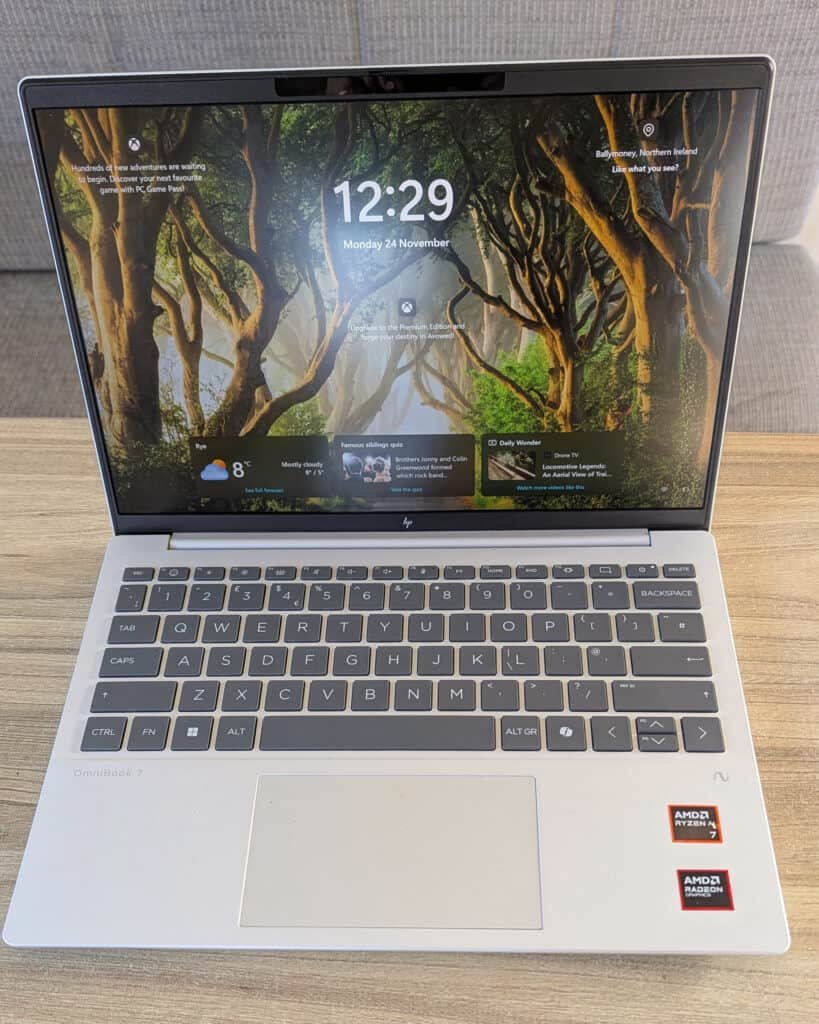
HP Aero 7 Omnibook 13.3″
One of the smallest and lightest fully functioning laptops on the market.
- Operating system: Windows 11 Home
- Processor AMD Ryzen™ AI 350
- Memory: 16 GB RAM
- Storage: 1 TB SSD
- Display: 33.8 cm (13.3″), WQXGA (2560 x 1600)
- Battery Life: Around 10-12 hours
- Weight 990g
The HP Aero 7 Omnibook (13.3″) is super light (990g), in fact, standout light, as anything vaguely competent under 1Kg is a rarity. By comparison, the lightest 13″ MacBook Air is 1.24Kg. But I’ll say it now so you don’t have to: no, this won’t outperform a MacBook M-series chip. If you’re already invested in the Apple ecosystem, a MacBook Air remains an excellent lightweight choice, but if you live in the Windows world or use another operating system, read on.
I compared several ultralight laptops before settling on the HP. Lenovo’s ThinkPad X13 came close, but HP Aero 7 Omnibook (13.3″) offered the best balance of weight, performance, and price for the way I work. I’ll be honest, HP was the last place I looked, as past experiences with anything HP have been universally terrible. But I’ve been using the HP Aero 7 Omnibook (13.3″) almost every day for the last 8 months; I can genuinely say it’s turned out to be an inspired choice. One caveat: I’m not a gamer, and I don’t do much video editing or design work, so I can’t speak to that.
After I bought it, PCWorld gave the HP OmniBook 7 Aero 13 its Editors’ Choice Award. They did have a grumble (and there’s always one). They wished it had a bigger, heavier battery because the results from their lab test weren’t great. But for me, around 12 hours is enough and better than many. I’ll take the weight advantage.
So what do I like about it? Its bright display, ample storage, excellent keyboard, range of ports, and fast performance are a neat little package. It feels premium and fits easily into my small travel bag. The actual price you can buy it for (not the MSRP) is on point too. It’s just what you need when travelling light.
3. 65W International Wall Plug
One of the easiest ways to reduce your tech weight is to leave all your power cables at home and use one plug that works with everything. If you plan to do this, use a fast-charge wall charger. Mine is 65W and will charge 3 things simultaneously and quickly. If you have more tech than me or larger tech, a 100W plug may be more suitable, but it will be chunkier.
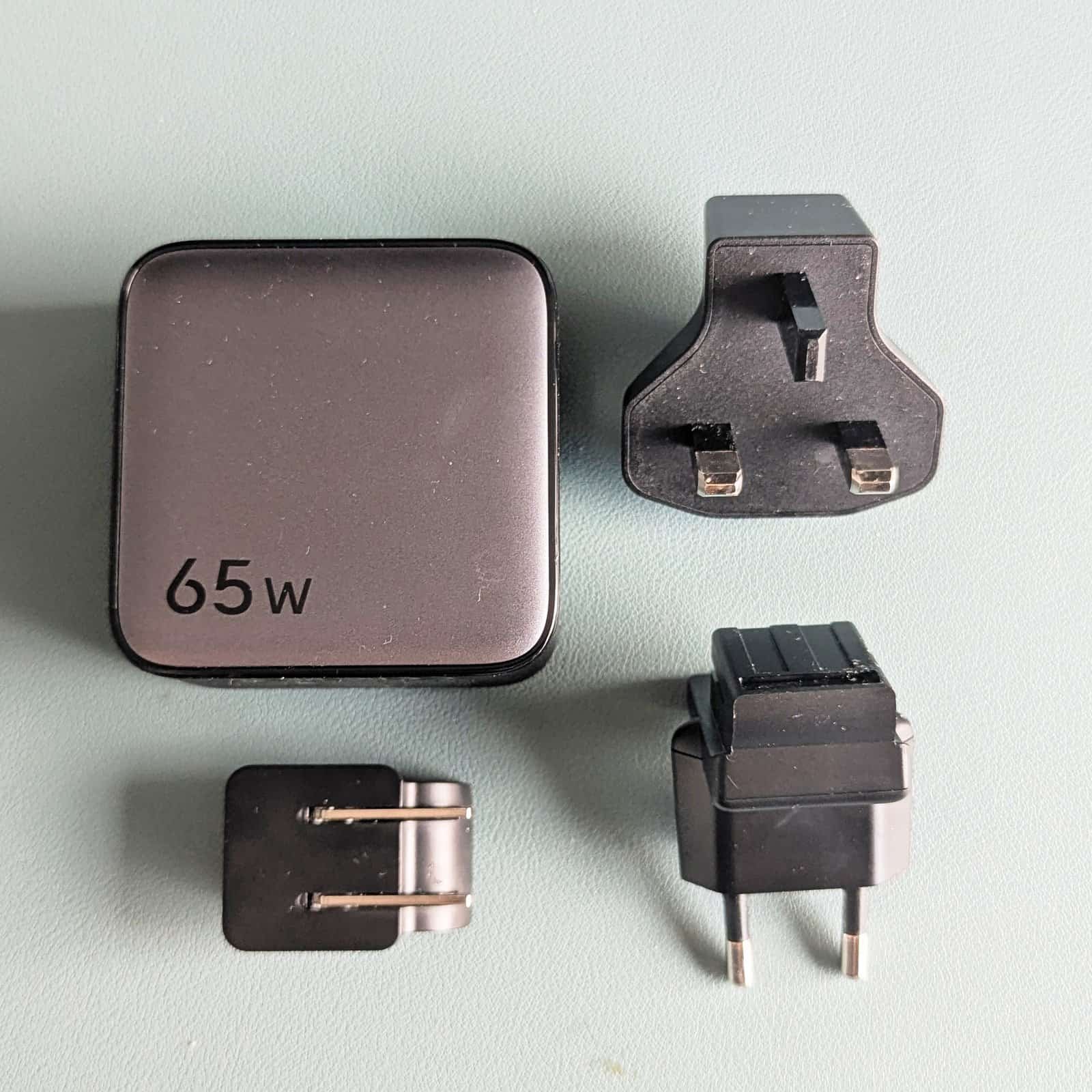
- 65W High-Speed Charging: Power up your laptop, smartphone, tablet, and other gadgets at top speed.
- Two USB-C ports and 1 USB-A port give up to 65W of charge to up to 3 devices at the same time
- Interchangeable UK, EU & US Plugs: One charger for over 150 countries. Snap on the correct plug (UK, EU, or US) for your destination to avoid needing multiple adapters and separate chargers.
- Smart Power Management: The Nexode 65W Charger uses Intelligent Power Distribution technology to automatically adjust its output to the connected device’s needs.
This Fast Charge 65W Plug with EU/UK/US Plug ends (Ugreen) has 3 ports (2 USB-C and 1 USB-A), and interchangeable plug ends for the US (type A), the UK (type G), and type C (Europlug). These can be securely switched and clicked. An important point, as I’ve tried a few different makes, and some have ends that would rather stay left in the socket when you remove the plug. Not ideal. This one doesn’t fall apart, overheat, go up in smoke or just quietly die after a short but busy life. Beware of imitations.
And if you’re wondering why there are only 3 plug ends, even though there are so many different sockets around the world. Well, that’s true, but quite a few are variations on a theme, with or without a third pin, recessed or not, etc. These 3, between them, actually cover much of the world with a few notable exceptions, including Australia, New Zealand, and India. I’ll take that and buy another adapter locally when needed, rather than carrying a bulky cube adapter around. Using both a plug and an adapter in some sockets can cause the plug to drag and come loose, and the whole thing can fall out. Keep it simple with one less point of failure, if you can.
This flat plug (also UGreen) has the same power, ports, and international plug options as the one in my current kit, but is lighter. I’ve been using it for about 2 years, but I have recently replaced it with the slightly heavier one above.
There’s one thing to know about the flat plug (also UGreen). The plug’s nice, flat, sleek design means it hangs lower than most plugs, which is too low for some. While you can turn a 2-pin plug upside down, you can’t with a 3-pin plug. Standard wall sockets aren’t a problem, as they tend to be high enough above the floor, but those fitted above desks and next to nightstands can be.
Other than that, the flat plug (also UGreen) works the same and will shave another 53g off your kit. I‘d pick this if you’re not using it in UK hotels regularly and you want the option to use all the sockets in the room, not just the standard wall one
4. Cables and Power Management
If it’s not USB-C, it’s not coming with me. Try to stick to this, and it will help you reduce the number of cables you use. USB-C cables are readily available worldwide, so carrying spares really shouldn’t be necessary unless you’re heading to a truly remote location.
I travel with one long, high-quality 100W PD cable that fast-charges and transfers data too. Then I have a shorter cable attached to my power bank to charge a second device simultaneously. That’s generally all the cables I need for the kit I bring.
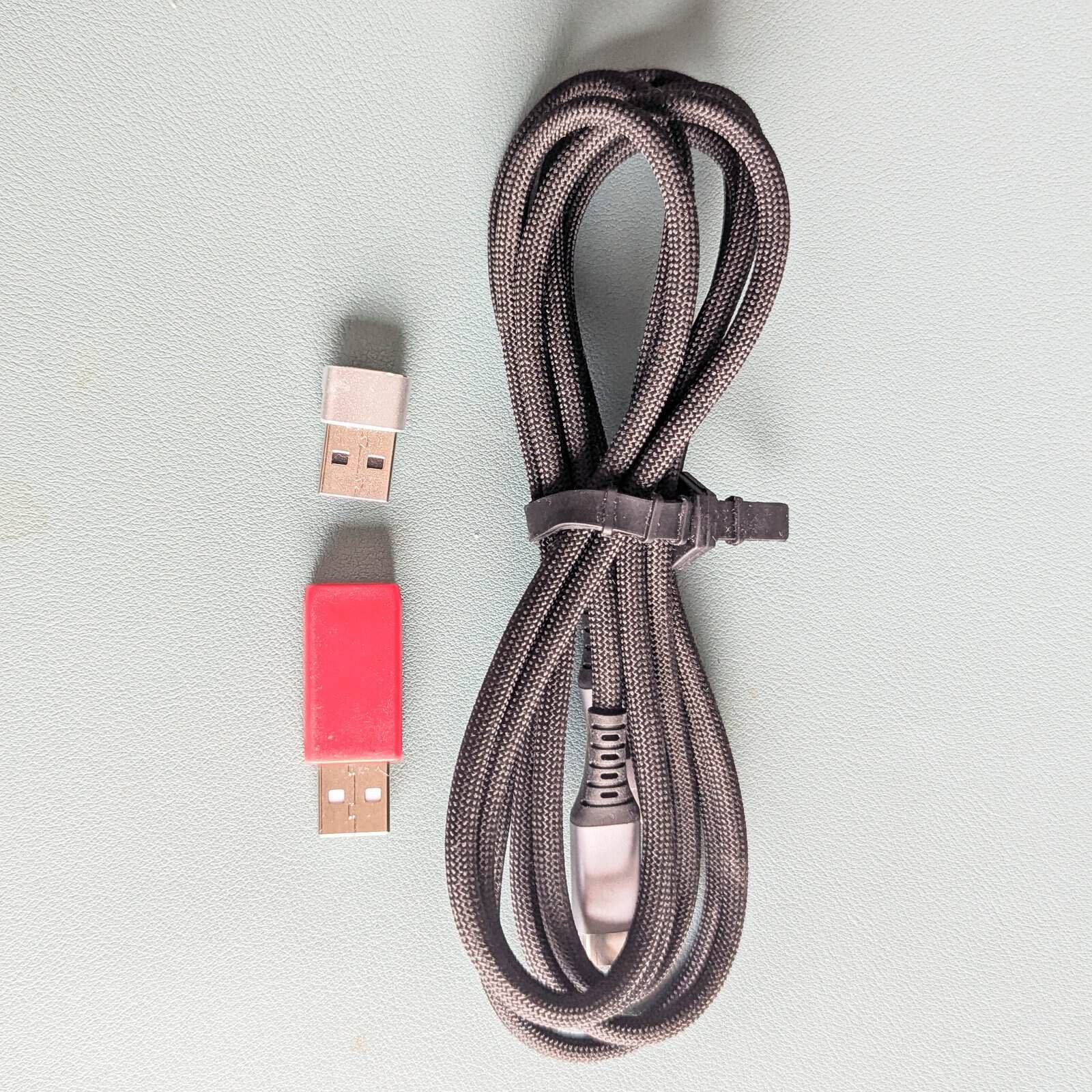
- 100W Fast-Charge PD USB-C to USB-C Cable (Anker): A longer cable for 100W fast charging. 1.8 Metres is a good length, and you may prefer one even longer.
- USB-C to USB-A adapters: To convert your USB-C to USB-C cable into a USB-A to USB-C cable, without needing another cable. The red one has its data-transfer capabilities removed, so if you are worried about using USB-C sockets in public places or corporate environments with strict IT security protocols, that’s the one to go for.
Useful to have one or two tiny USB-A adapters to go with your USB-C cable. I keep a couple in my wallet. Handy if you want to use USB-A charging ports in public spaces and in hotel rooms. It saves the need to bring another cable for this purpose. There’s a small risk of hacking or viruses being transferred if you use public USB-C ports with a data cable, but the red PortaPow solves this by blocking data transfer and syncing. It only allows charging. And that’s also useful in offices, with protocols around plugging USB devices into corporate systems. I also have one without data blocking, so I have both bases covered, in case I lose one.
5. Ultralight Powerbank – INIU 10,000 45W & USB-C Cable
This tiny INIU 10,000mAh 45W power bank comes in a variety of colours, so you can pick your favourite and make it easy to spot if you don’t want the standard-issue black. Great for families and groups, so you know whose power bank is whose. At just 163g, it’s one of the lightest on the market with equivalent specs.
It charges everything quickly, including my laptop, via its 2 USB-C and one USB-A ports. I appreciate the digital readout so you can see exactly how much charge is left. Pass-through charging means I can charge one device from the power bank while it is charging.
The neat little USB-C-to-USB-C cable that connects the power bank to the device is a great way to keep the two together, and it saves me from bringing a second power cord. While MagSafe chargers are popular, I’m impatient and like the quick charging via a cable and the lighter form factor.


I’ve shown you the back as well as the front. Airport security can be picky about power banks, and it’s good to be able to confirm the power and certifications of any you take through security. Hopefully, everything is on the back of this one to satisfy the most stringent checks, and there’s no chance it will get thrown in the bin before you’ve caught the plane.
You may also be interested in
- How to Master One-Bag Travel: 8 Items to Pack and 8 to Leave Behind
- Lightweight Travel Toiletries for One-Bag Travel: My Complete Kit
- 18 Best Tiny Travel Essentials: Minimalist Packing for One-Bag Travel
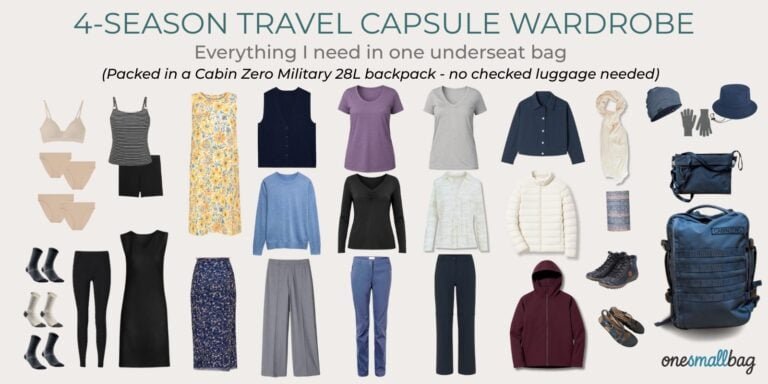
- How to Pack a Travel Capsule Wardrobe in One Underseat Bag
- Is the Cabin Zero Military 28L the Best Personal Item Backpack for European Budget Airlines?
6. Koss Porta-Pro – the iconic Retro folding Headphones
At 70g, Koss Porta Pros beat almost any wireless overhead setup on weight-to-audio quality. The design completely eliminates ‘dropped-earbud anxiety’ in airports without the bulk of active noise-cancelling cans
If you’re not familiar with the brand, Koss Porta Pros are legendary folding, ultra-lightweight headphones first released in 1984 by Koss, a US company that only makes headphones. Today, Porta Pros are worn by audio fans, retro-tech enthusiasts, and, apparently, celebrities like Bella Hadid, Zoë Kravitz, and Megan Fox. My adult son owns a pair and recommended them to me, not realising I already had some. Mine are 10 years old, so genuinely vintage. I’ve replaced the earpads, which can be customised from a wide selection of colours and sizes. I picked the oversized pads to make them even more comfortable and for a small sound upgrade.
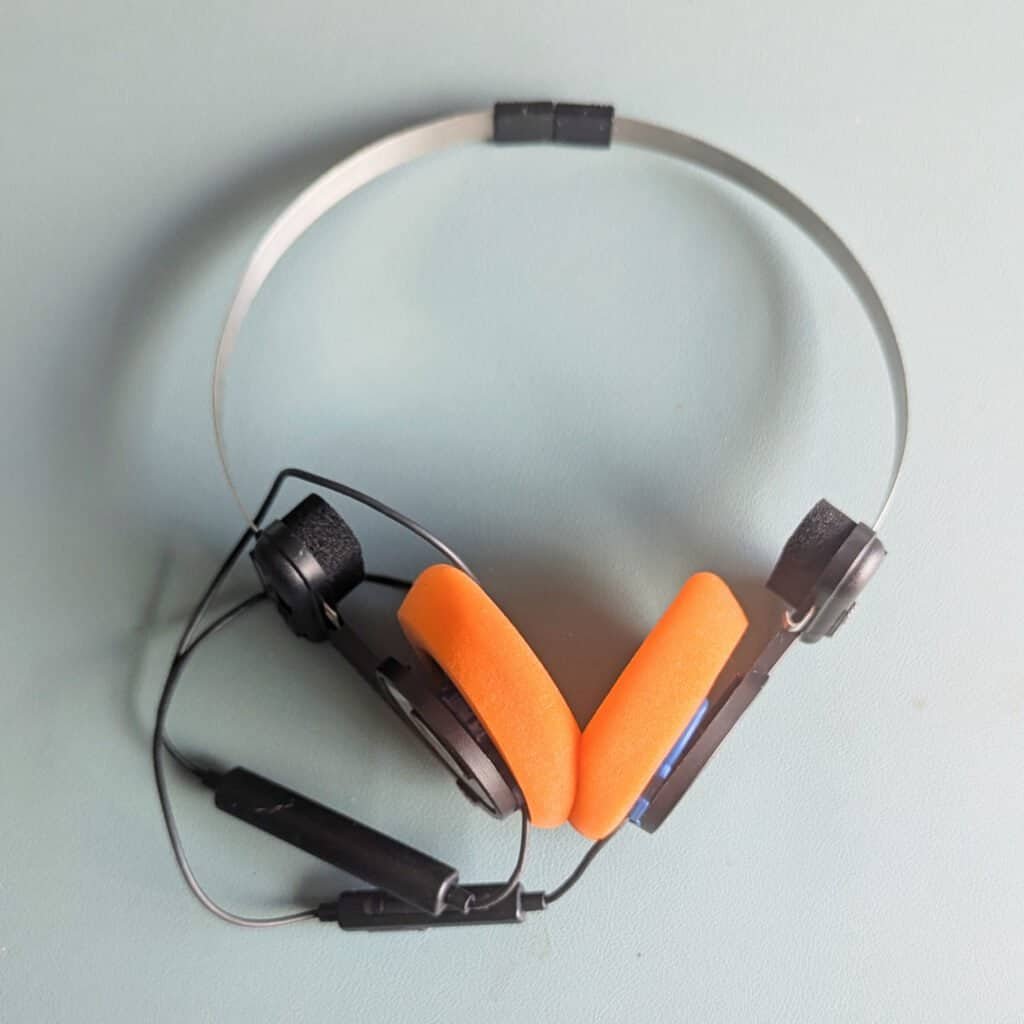
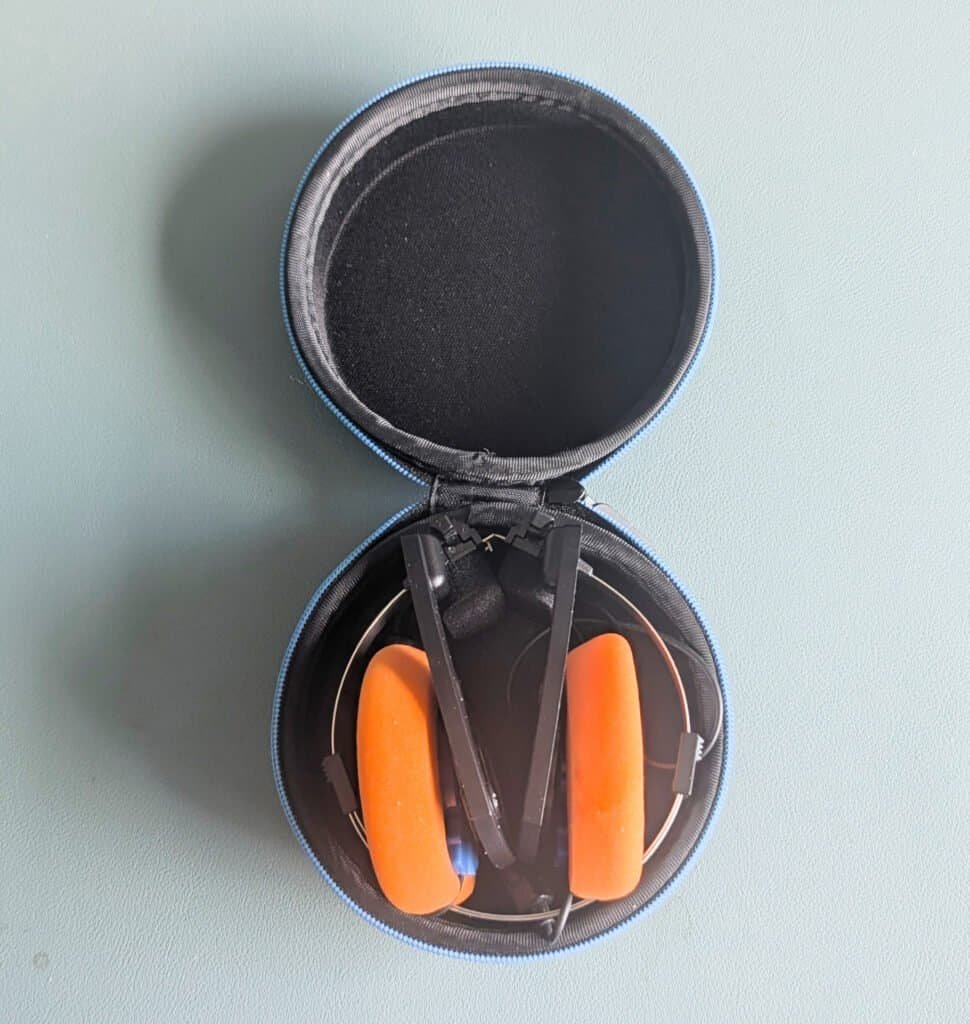
I love their punchy sound, portability, and how comfortable they are to wear. Thanks to the springy headband, they feel firm on your head. There’s a sliding mechanism on the headband. Increase the band size to fit your head, then decrease it to the minimum to form a small circle. Fold the earphones inwards and clip them to keep them tidy and in position. There’s a neat little case if you want to keep them protected. Mine usually lives loose in my bag, but the case adds another 49g if you’re interested.
Porta Pros are an incredible value for the sound quality you get. And at around 70g, they weigh little more than a pair of earbuds with their charging case. So go on, try a pair and rock the retro look.
There are several similar models. Some have a regular headphone jack, some Bluetooth/wireless, and a ‘utility’ version lets you switch the cable between headphone jack and Bluetooth. So that saves you from buying another chunky dongle if you want them to be wireless and work in the headphone socket on the plane.
Alternatively, you can switch to USB-C and plug into your phone’s USB-C connection if your phone’s headphone socket has gone AWOL, as it has for most of us.
7. Withings Scan Watch 2 – The Smart Watch with a 30-day+ Battery Life
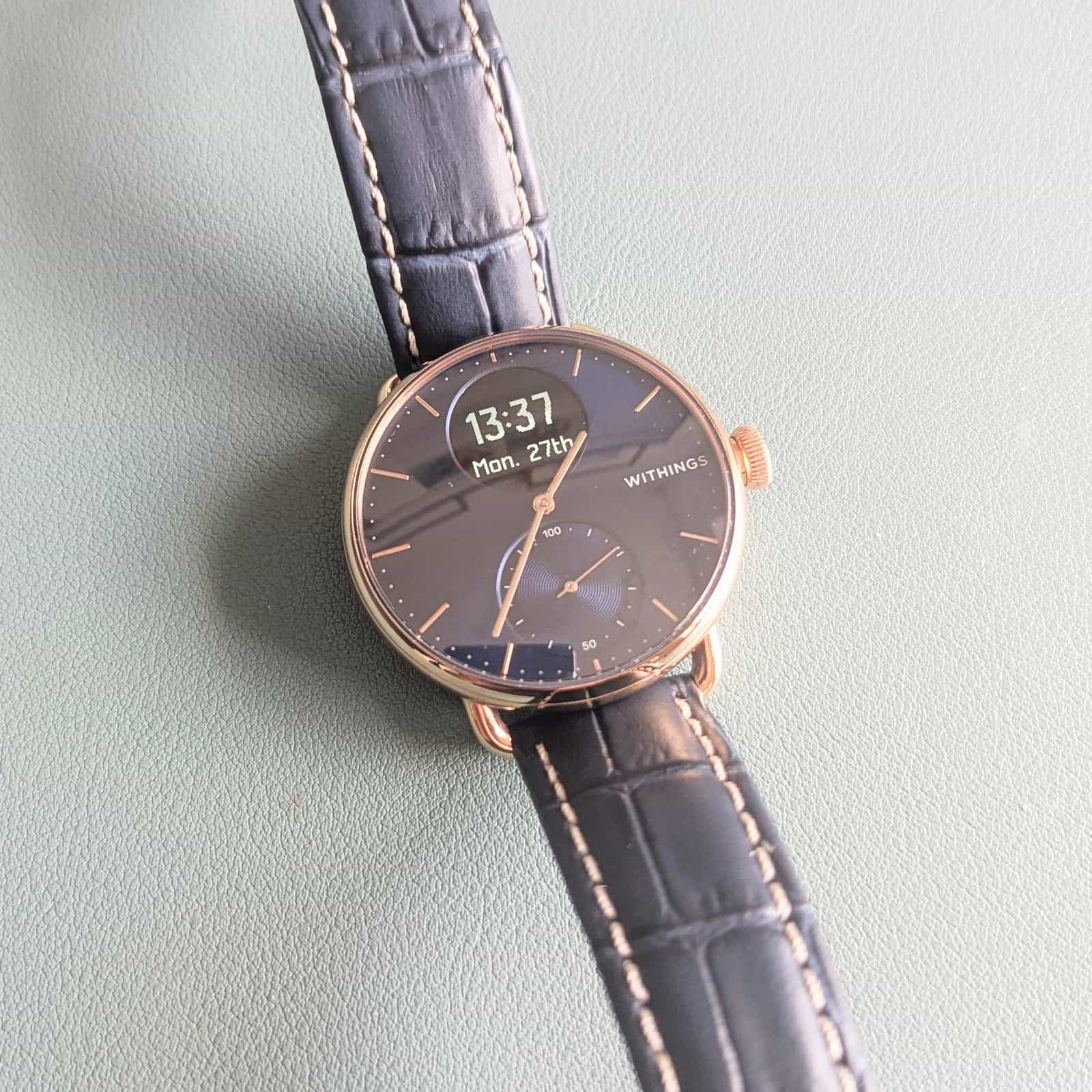
If you want a smartwatch that looks more like a traditional watch but still delivers what we expect from one, take a look at the ScanWatch 2. If you’re not familiar with Withings, they are a long-standing medical equipment specialist from France. I have their best-selling ScanWatch 2 and Body Smart scales, all part of a suite of health and medical-grade equipment suitable for home use.
- Steps and Elevation: Counts daily steps and floors climbed
- Workouts and Fitness Level: Tracks over 30 sports and estimates your fitness score using VO2 max estimations.
- Cycle Tracking: Logs menstrual cycle phases and symptoms
- Body Temperature: Measures 24/7 baseline variations and workout zones
- Heart Rate Variability (HRV): Analyses overnight HRV metrics to assess recovery.
- Sleep Quality: Evaluates sleep duration, sleep cycle depth, and overall sleep score.
- Breathing Disturbances: Monitors overnight breathing patterns and sleep disturbances.
- Notifications: Vibrates and scrolls text previews for incoming calls, text messages, calendar events, and chosen smartphone apps.
- Alarms: Set silent, vibrating alarms directly on the watch or through the app.
- Quick Look: Automatically activates the small digital screen when you raise your wrist. The analogue watch time is always on.
The ScanWatch 2 does many of the usual things you might expect from a smartwatch. With an analogue screen, there are a few things it can’t do, like NFC payments, taking calls, and replying to messages, but there’s much it can do, including notifications. There’s a Withings app which syncs with the usual fitness apps, and the watch works with both the Android and Apple Ecosystems.
It’s the little things too. This watch tells me the time when I look at it, without an extra step or a battery-draining always-on feature. I own just the one watch, with no separate dress watch. It’s a good-looking watch with a choice of sizes, designs, colour options, and features. Straps are easy to switch, and you can do it yourself without any tools. And the ScanWatch 2 isn’t the only model; there’s a range from the ScanWatch Light to the more premium best-selling ScanWatch Nova. My ScanWatch 2 sits firmly in the middle.
And the really good news? Not another ‘needy’ thing to be charged every night. With a battery life of around 35 days, it’s ideal for travel. I only need to bring the tiny charging cord for trips longer than a month.
8. Kobo Clara Colour E-Reader – My Kindle Upgrade
Colour E-reader (Kobo): Lighter, calmer, USB-C charged, no ads, and I don’t pay for most of my books. My Kobo Clara Colour E-reader is compact and a joy to use. And I’d also rather not hand more data to Amazon.
- Muted colour screen – great for maps, guides, and non-fiction
- USB-C charging with long battery life
- No distractions or lockscreen ads
- Long battery life. It can last weeks without charging.
- Substantially cheaper than colour Kindles and lighter too
- Free books! Comes with Overdrive integration. This means I can download E-books from the library or other services like BorrowBox*
- Unlike Kindle’s closed, proprietary ecosystem, Kobo e-readers support open-standard formats (including EPUB and PDF) and use Adobe Digital Editions DRM, making your e-books far more portable
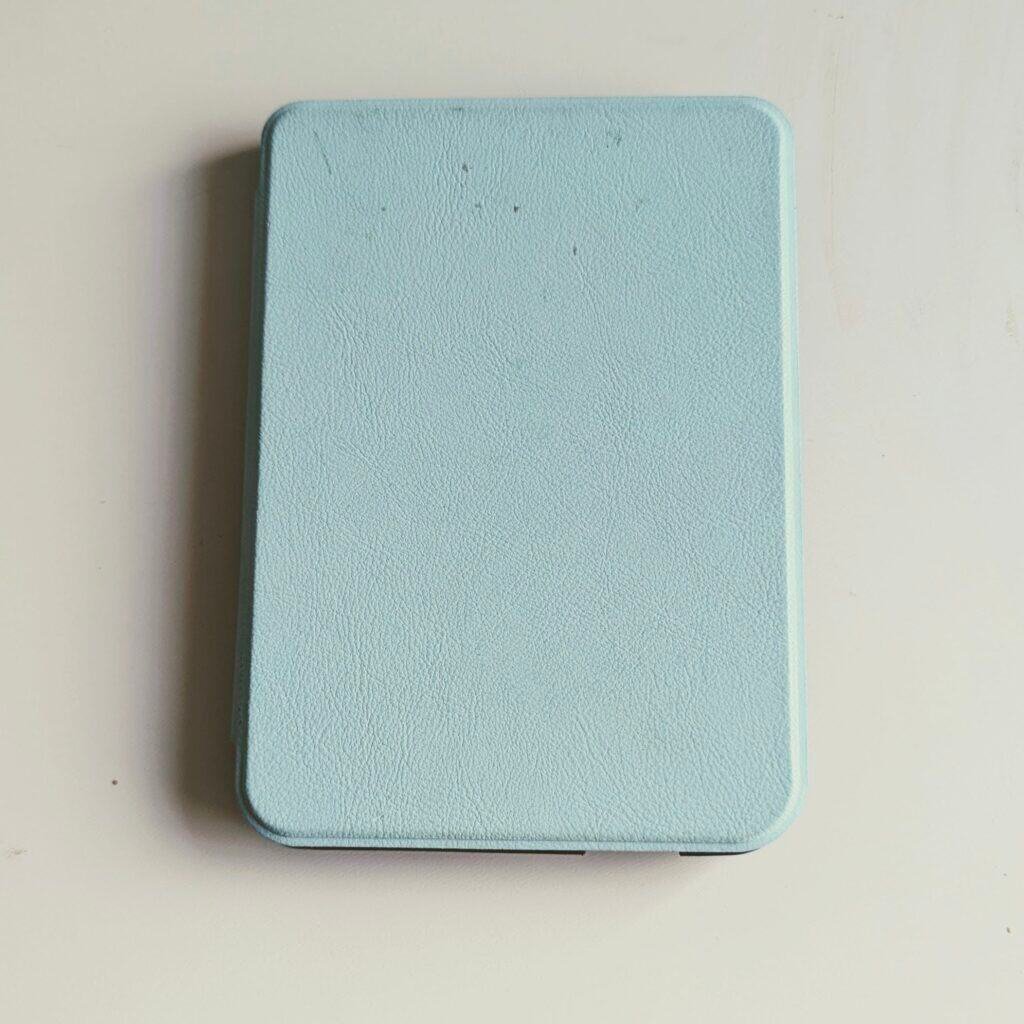
I have a case which is heavier than I’d like, but at least it protects it. It turns the Kobo on and off when I open and close it, which prevents it from turning on accidentally.
*Library Access varies by country
In the UK, you can borrow library books via OverDrive on Kobo, but not on Kindle.
In the US, it’s the opposite – Kindle supports OverDrive, but Kobo doesn’t. Check local compatibility, as much online advice assumes a US audience.
I haven’t researched borrowing schemes for every country, but the thing to know is that there is no closed proprietary system with Kobo, so there aren’t barriers to sharing as there are with Kindle. Your books are your own, so you can do what you want with them.
We are now in the realm of tech, which isn’t strictly necessary but is nice to have. In truth, I don’t always bring the Kobo. But if you’re on a long journey, it’s good to be able to put your phone away and read distraction-free on a larger screen that’s easier on the eyes than a phone.
9. 3-in-1 Mini Torch, Personal Alarm with strobe and siren plus tracker
The PebbleBee Halo solves not one, but three problems, and that’s what attracted me. A flashlight is a very handy backup to your phone, especially if it’s small, effective, and easy to access when you add it to your keyring.
It’s also a personal alarm: pull it apart to activate a powerful strobe and a high-pitched squeal. Good to have in an emergency. It reminds me of the rape alarm my mum gave me when I left home for uni in London at age 18 in the 1980s. But that was the size of a small wine bottle, and probably less effective and less useful.
Jokes aside, I frequently travel alone; my job has meant I’ve arrived late in strange places countless times, and I’ve also done so because of my own poor planning. If you want one bit of kit as a solo female traveller, I would recommend it if you are worried about the safety or whereabouts of your child, teenager, or young (or old) adult. I would also recommend it.
Which brings me to the third thing it does. It behaves like a tracker, much like an AirTag, and works with both Android and Apple phones. The main practical use I’ve had for it so far has been finding my keys, since I can attach the PebbleBee Halo to my keyring and have it beep for me via the Find Me app on my phone.
There are more advanced features too, so you can share your location with a list of family and friends and send silent alerts to your connected people (instead of setting off the strobes and siren). The last friend-sharing bit is a subscription service (free for the first year); the rest of the features are always free when you purchase the PebbleBee Halo

- PebbleBee Halo syncs with Android (Find My Device app) and Apple (Find My app).
- Locate your PebbleBee Halo from the app – and get it to make a sound to help you find it
- Torch plus Personal Alarm (Bright flashing strobe and 130dB Siren to raise alarm and scare off potential attackers)
- Option to allow people you set up in your personal circle to track you. A rapid button press sends a silent alert if in danger
- QR code on the back to help a finder return it to you if lost – especially useful if on your keyring
- Chargeable with USB-C
It’s also part of the Pebble Bee family – a company emerging as a leading supplier of trackers similar to AirTags. Pebble Bee products are designed to work with both Android and Apple devices.
Click any of my Pebble Bee links to get a special ONESMALLBAG discount. And while we are on the subject of trackers, I have more for you too.
10. Chipolo and PebbleBee Trackers For Both Android and Apple
Apple AirTags are everywhere, and with good reason, but those of us outside the Apple ecosystem have, in the past, been left out. But the good news is that’s changing fast. Do take a look at Chipolo and PebbleBee. Both companies offer a range of trackers in various form factors, compatible with both the Apple and Android ecosystems. Having used trackers from both companies, it seems the advantages one has over the other are pretty marginal. Which one you pick may come down to where in the world you live. I found Chipolo easier to get hold of than PebbleBee from the UK. But you can neutralise the shipping fee if you buy several things, or use my discount.
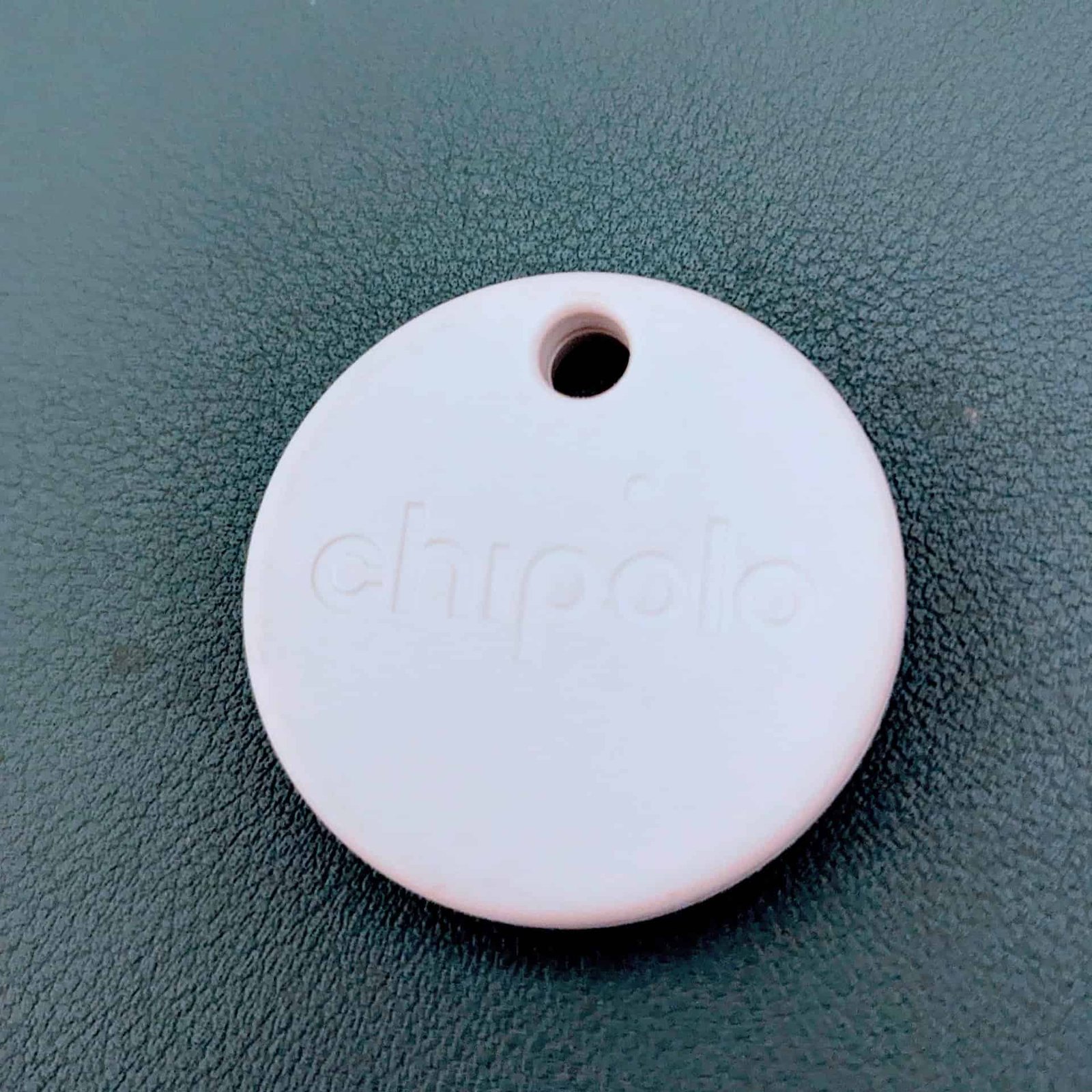
- Chipolo comes in different colours for easy identification; they’re brighter and a little lighter than AirTags.
- They have a built-in keyring holder – no extra holder to buy
- It’s easy to change the battery without tools; it’s a standard CR2032. Both last about a year
- Extras such as ringing my phone and out-of-range alerts are available on the app
- AirTags still win when it comes to ultra-precise ‘point me there’ tracking – especially in iPhone-dense areas
- AirTags have better water resistance
I have used the Chipolo Pop tracker for over a year and can confirm it tracks reliably. It’s the closest equivalent to an AirTag; it also uses a widely available CR2032 battery. It works with either Apple Find My or Google Find My Device (but not both at the same time.
PebbleBee also has a wafer-thin, credit card-shaped tracker that is useful to put in a wallet, a bit of a catch there for some, including me. You’ll need a magnetic charging pad to charge it, as the shape doesn’t lend itself to USB-C charging or replaceable batteries.
If you’re after a USB-C rechargeable tracker, you’re out of luck on the AirTag front, and I don’t believe there are current plans to change this. But both PebbleBee and Chipolo have them. I’ll leave it to you to decide whether you think CR2032 batteries are convenient and easy to replace or a danger to you, your children, your dog, or the environment. Suffice it to say, if you do use these batteries, keep them well out of the way of small people or animals, because you do not want them to be swallowed.
11. Ricoh GRIV Compact Camera
Up till recently, I’ve taken the view that I don’t travel with a separate camera. My Pixel 7 Pro Camera is a highly competent point-and-shoot with many of the latest features, but there’s a certain look to its shots, slightly less harsh, that is hard to fake with any phone camera, no matter how good it is. As my travel blog goes from strength to strength, I want to level up my photography with a more editorial look. I also know I have neither the patience nor the willingness to make the necessary space in my bag for a proper DSLR.
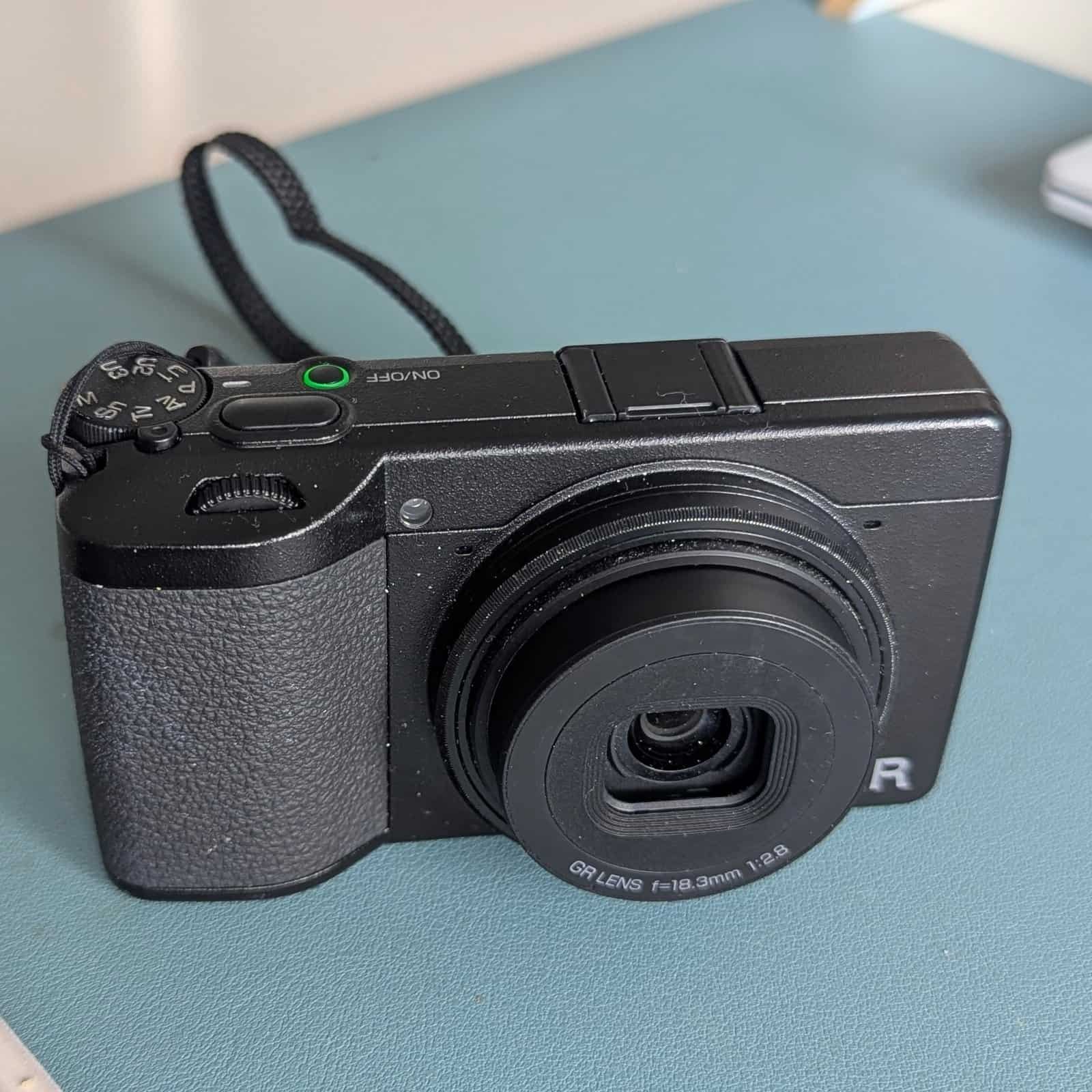
So hello to the Ricoh GRIV, a premium, pocket-sized street-photography camera with a cult following. I did extensive research before I bought it. Its tiny size and point-and-shoot capabilities. These are the features I love most about it so far:
- 28mm wide-angle street photography: With the Ricoh GRIV, the wide-angle 28mm equivalent lens lets me capture the full street scene, giving me plenty of detail (saved in RAW format) to crop into later
- Snap Focus: “Full Press Snap” mode – preset focus at fixed distances (e.g., 1.5m, 2m, 2.5m) to completely bypass autofocus lag
- Glare-free: Ricoh GR IV screen makes it much easier to compose shots in bright sunlight compared to a smartphone display
- Storage & Memory: The massive 53GB internal storage means I can shoot RAW files freely and handle travel photography without needing an external hard drive or a laptop on short trips
- Sensitivity: ISO range from 100 up to 204,800 for extreme low-light performance.
I also love being free from my phone; it can stay in my pocket or bag for longer, with fewer distractions, and the battery is saved for the other things it can do for me, like calls, messaging, maps, and browsing on the go.
Here are some more features:
- Sensor & Engine: Upgraded 25.74-megapixel APS-C CMOS sensor paired with a next-generation GR ENGINE 7 processor.
- Lens: 18.3mm f/2.8 lens (providing a classic 28mm full-frame equivalent field of view) designed for edge-to-edge sharpness.
- Image Stabilisation: Advanced Shake Reduction (SR) system
- Autofocus & Speed: Hybrid AF system with a lightning-fast 0.6-second startup time.
- Connectivity: Dual Wi-Fi and Bluetooth connectivity, and a mobile app
There’s plenty I already love about the camera, but there’s a learning curve, which I’m still on. So I’m reserving judgement on whether this camera will stay for good, or whether I will go back to the comfort zone of my phone! I’m genuinely excited to see what it can do for me.
One Bag Travel Tech: What I Don’t Pack (and Why)
I log the weight of everything in my bag on a spreadsheet. Then I can scrutinise the real value of everything, and these are the decisions I’ve made to arrive at this minimalist travel tech gear list.
The things I don’t pack
- No separate tablet – With a laptop, phone and sometimes a Kobo Colour E-Reader, I don’t need anything else.
- No proprietary power leads, the laptop power cable and plug, plus all other power plugs, stay at home. All devices can be charged from a 65W Fast Charge plug with EU/UK/US plug ends with a 100W Fast Charge PD USB-C to USB-C cable.
- No international cube plug adapters – I use a 65W Fast Charge plug with EU/UK/US plug ends. That covers over 150 countries. I’ll pick up a cheap local adapter if I need more. I’d rather use just a plug and not add an adapter if I don’t need it, both for weight and reliability reasons.
- No multiple charging bricks – All my tech is minimised and chosen carefully, so I don’t have enough tech to warrant one.
- No Lightning or micro-USB cables; if it’s not USB-C, it’s not coming with me. That’s my rule; it’s that simple.
- No purpose-built tech pouches or laptop sleeves – Most are over-engineered, bulky, and heavy. Everything is well protected in the laptop sleeve, pockets of my bag, and my wallet.
- No hair tools or other non-tech electricals. I don’t bring hair dryers or straighteners. I do have a tiny electric toothbrush, but it’s powered by a single AAA battery.
Where to Next
Travelling with less gives you more freedom to enjoy the trip. So now I’ve covered my carry-on tech kit; here’s some more inspiration for the rest of your packing, all fitting in my one small bag.
I have an article on tips for packing a travel capsule wardrobe for one-bag travel, a paired back toiletry kit, and some handy mini travel accessories. Also, check out my 8 items that make one-bag travel work and 8 things I always leave behind.
Do you have any favourite ultralight gadgets? Drop them in the comments – or let me know what you’ve managed to ditch. I love hearing how other travellers streamline their tech. I’m always learning and improving!
If you’re interested in more tips on packing light or trips in Europe, many off the beaten track, then I have a monthly newsletter, and I’d love it if you joined.
I hope you found this useful. Thanks for Reading!


One Comment